
[vc_row][vc_column][vc_column_text]
Guest post
A guest post is an article that someone writes and publishes on another person’s blog. It is a helpful tool for enhancing reputation and creating backlinks. Guest writing enhances brand visibility among a new audience and generates fresh traffic to your website. It is often used as a marketing strategy to build a reputation in the industry and increase an individual’s audience and connections.
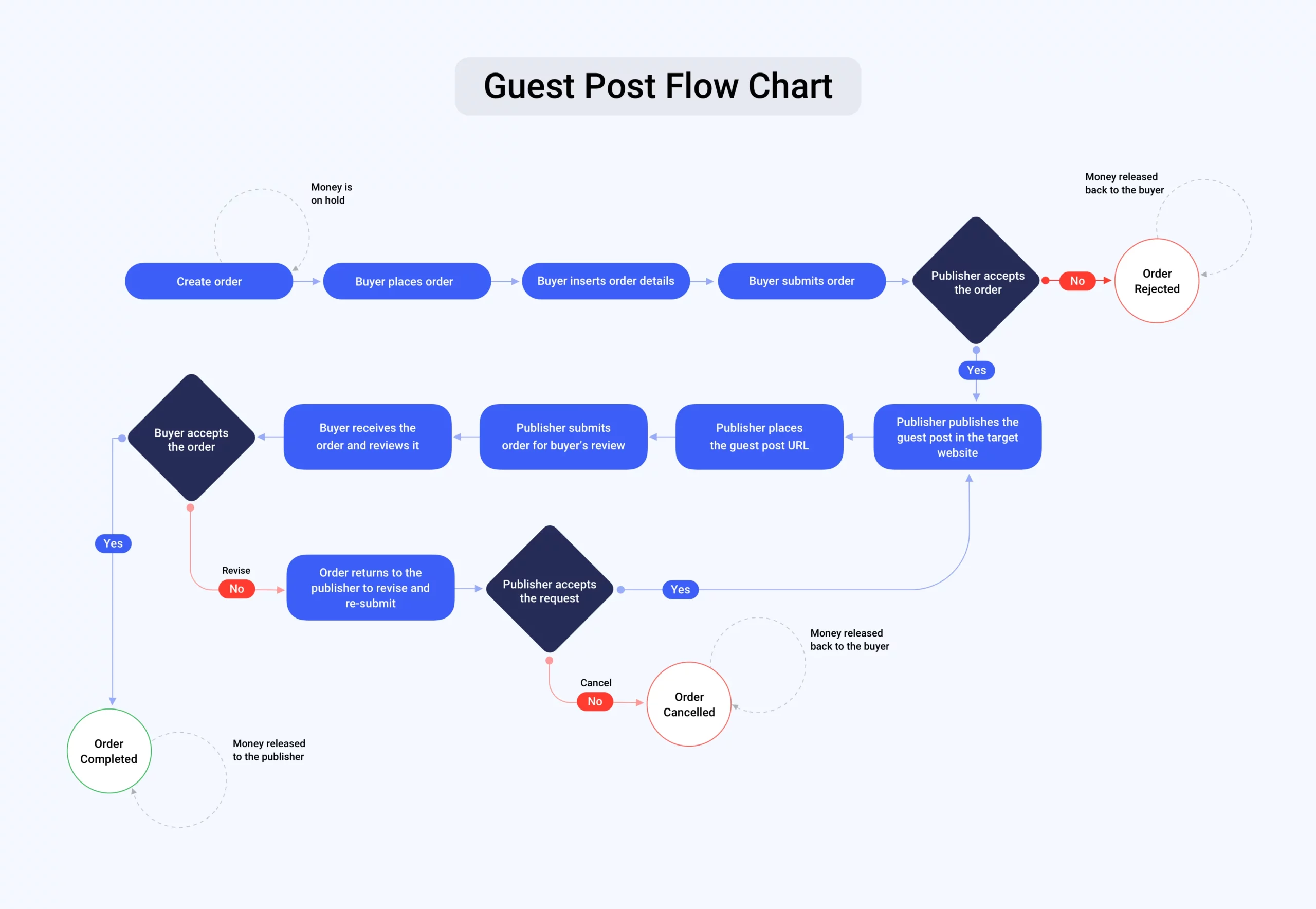
Please follow these steps in order to know how to use our platform and place an order
Buyer’s Perspective: Placing an Order
- First, go to our platform.
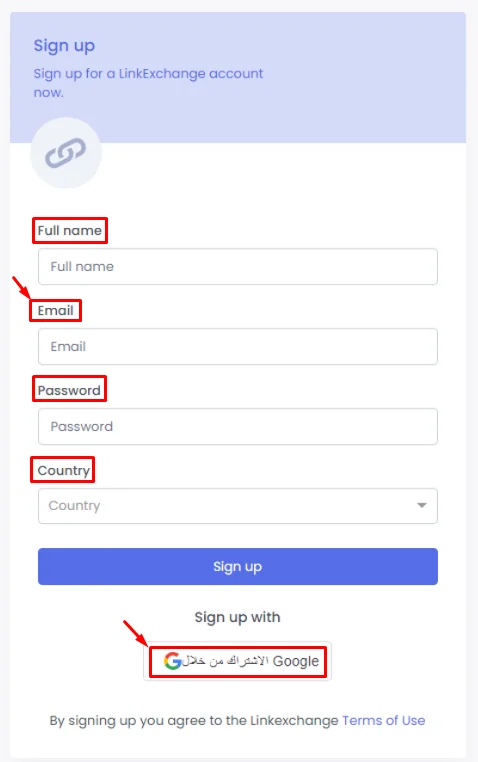
- Then sign up with your email or you can sign up via Google:
Enter the required information: name, email, Password and country, then click ‘Sign Up’.
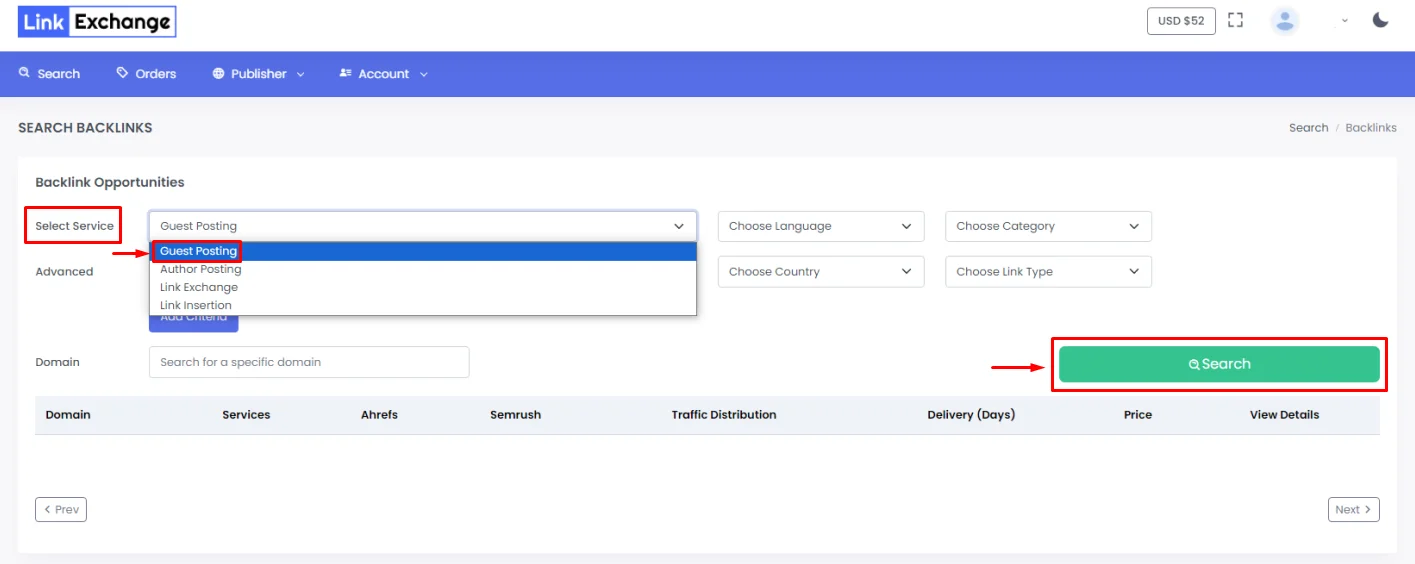
- After logging in, click ‘Select Service’ and choose ‘Guest Posting’, then click ‘Search’.

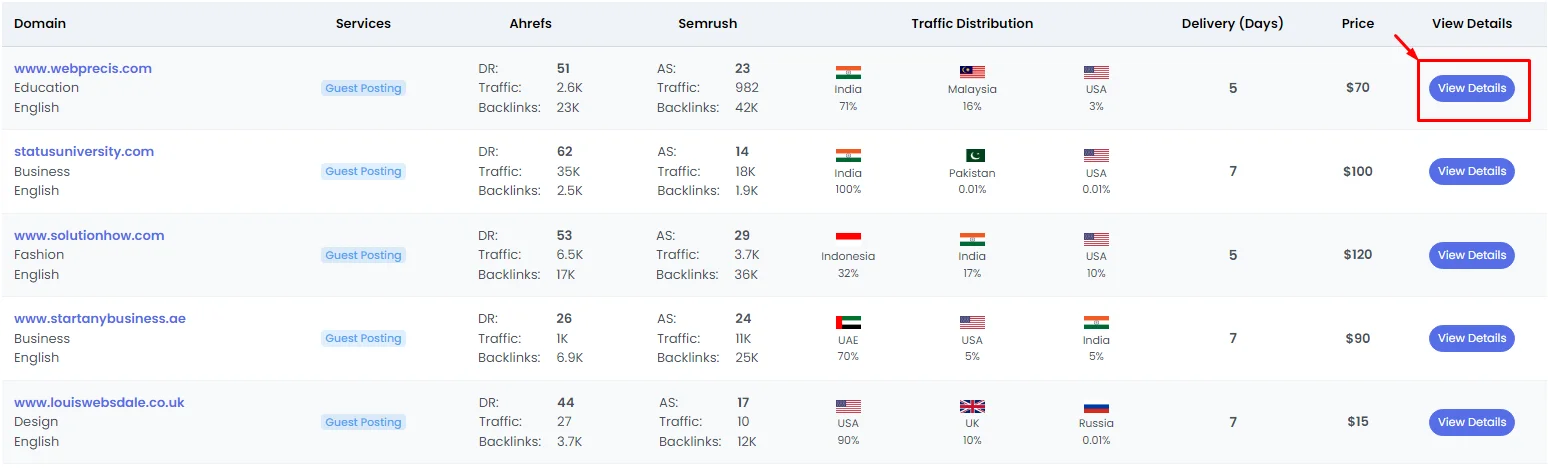
- A screen will pop up with all the domains. Click ‘View Details’ to access the domain and place an order with your preferred domain.

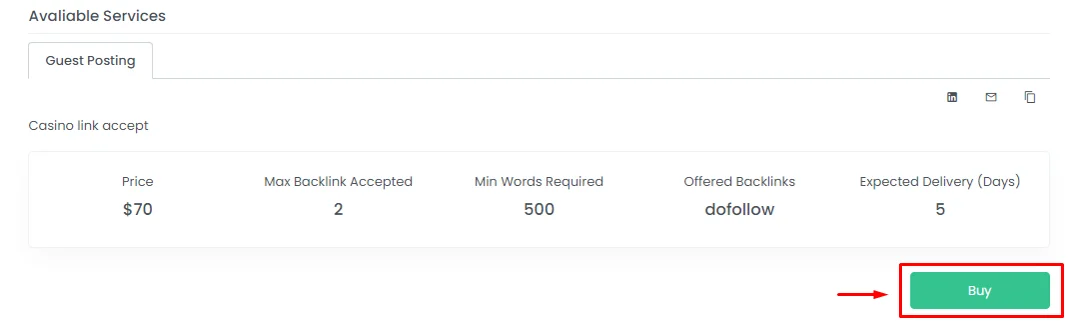
- Click ‘Buy’. In this process, the money is withdrawn but it’s still on hold.

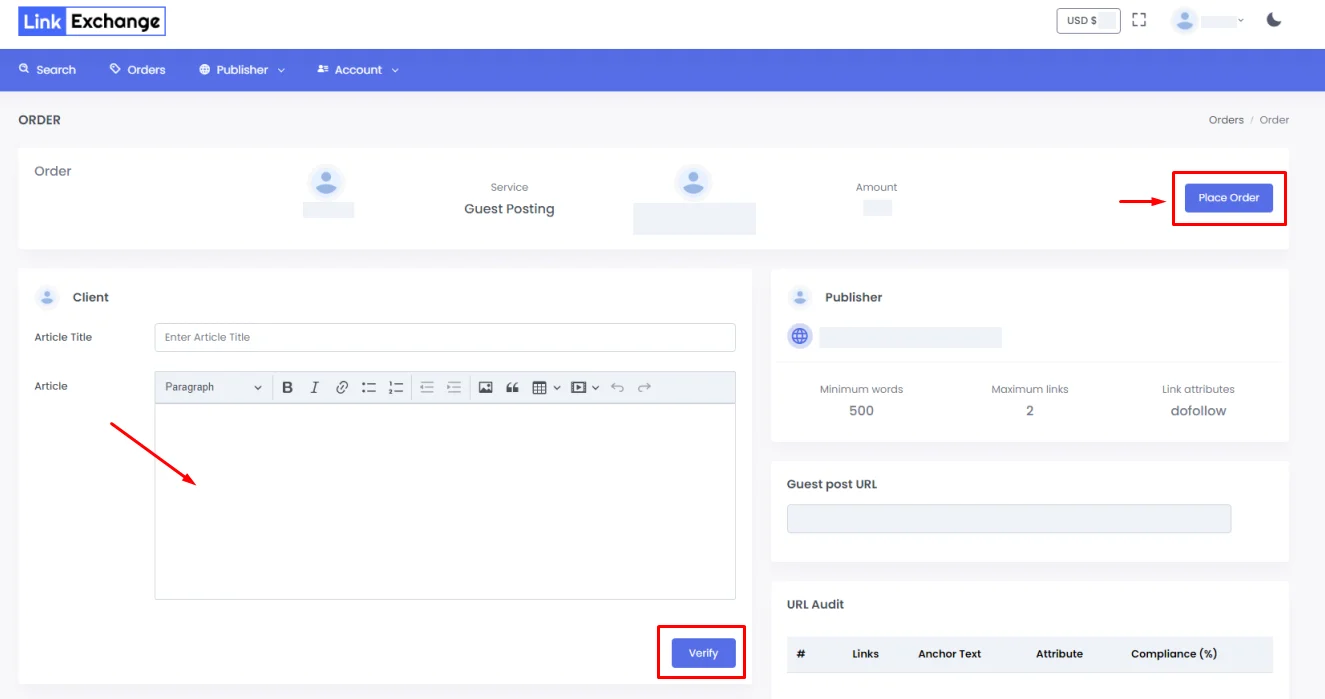
- Click ‘Place Order’, then fill in your order request, insert your well-prepared article and click ‘Verify’.

- Revise the information you entered, then click ‘Submit’.


Publisher’s Perspective: Domain Owner
1.) The buyer’s submitted order will now go to you (the publisher) for viewing. When you sign in on the platform, click ‘Orders’ then ‘Incoming’.
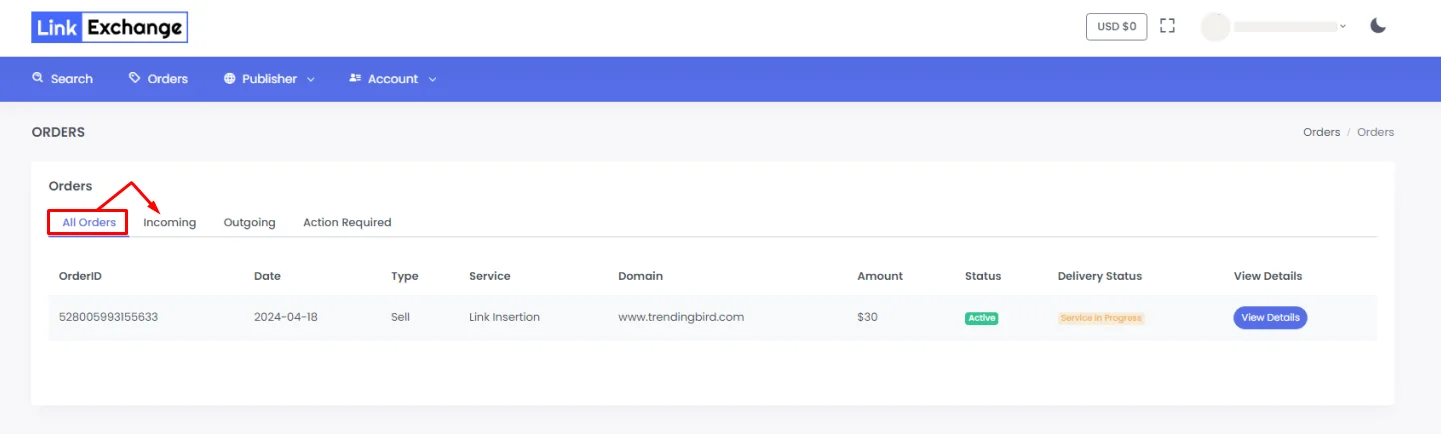
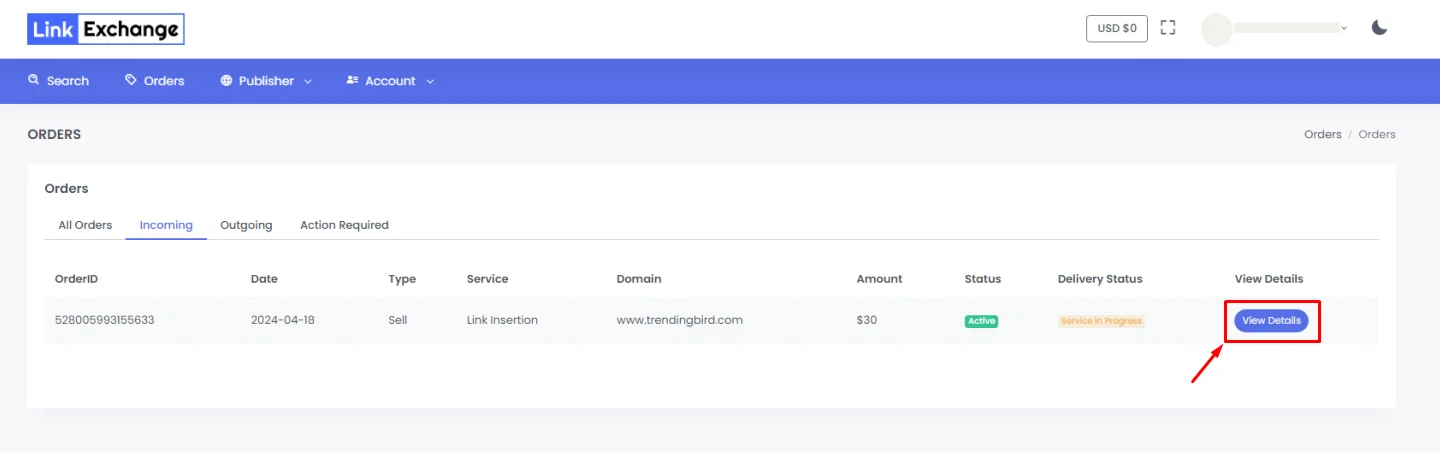
2.) And click ‘View Details’ to view the buyer’s requested order.
3.) Now you’re reviewing the buyer’s order. You now have two options: accept or reject the order
- If you reject the order, the money will be released back to the buyer.
- If you accept the order, you will review and work on it.

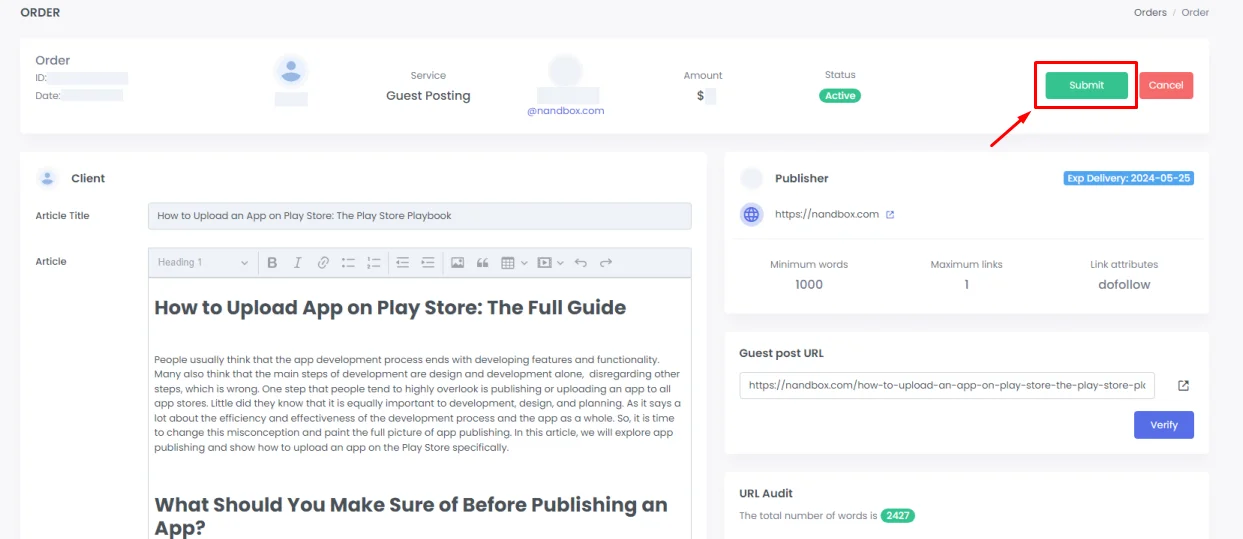
4.) You will take the buyer’s requested article and publish the guest post on the targeted website. After finishing the guest post process and the link going live, you will take the link to the guest post, add it to the guest post URL. and click ‘Verify’
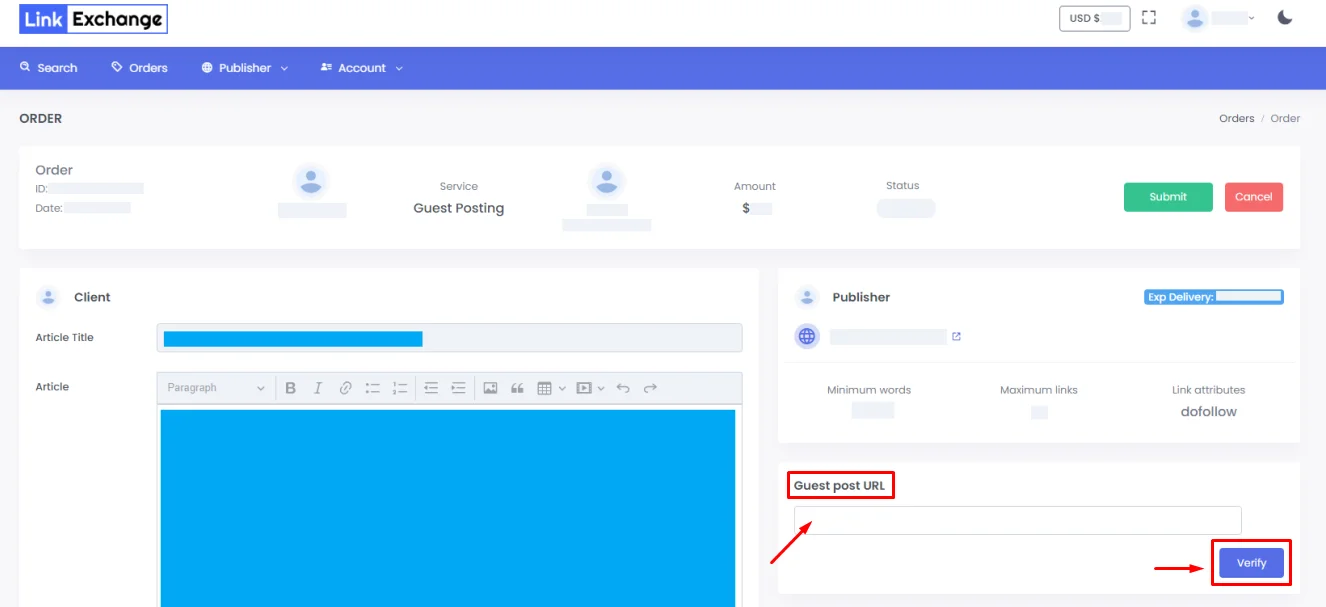
5.) Then click ‘Submit’. Your side has now notified the buyer of the order’s acceptance and submission via a confirmation email. The order has now been returned to the buyer to review and see what you did regarding his requirements.
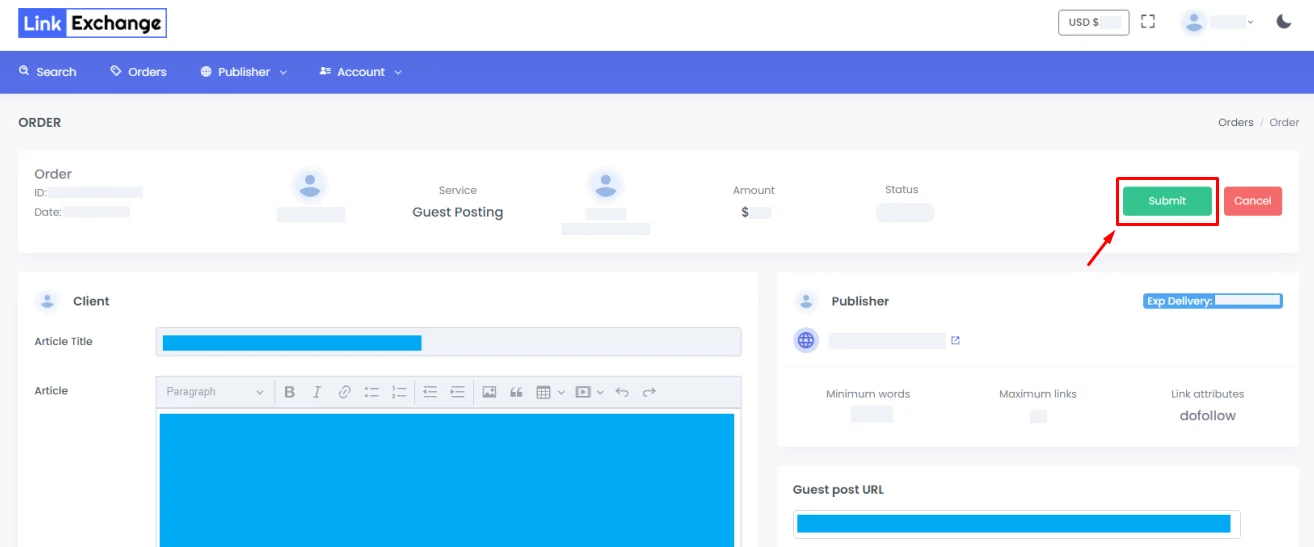
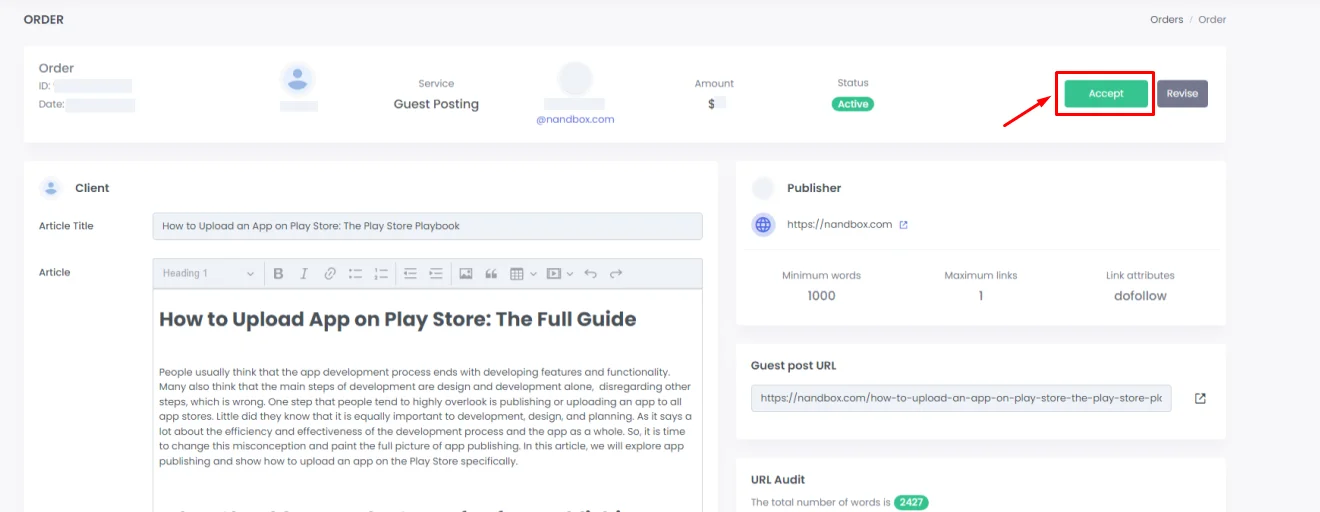
6.) The buyer then receives and reviews it to see whether it meets his requirements or not.
- If the order meets the buyer requirements, the buyer then accepts the order, and the order status will be submitted as “completed, and the money will be released to the publisher.


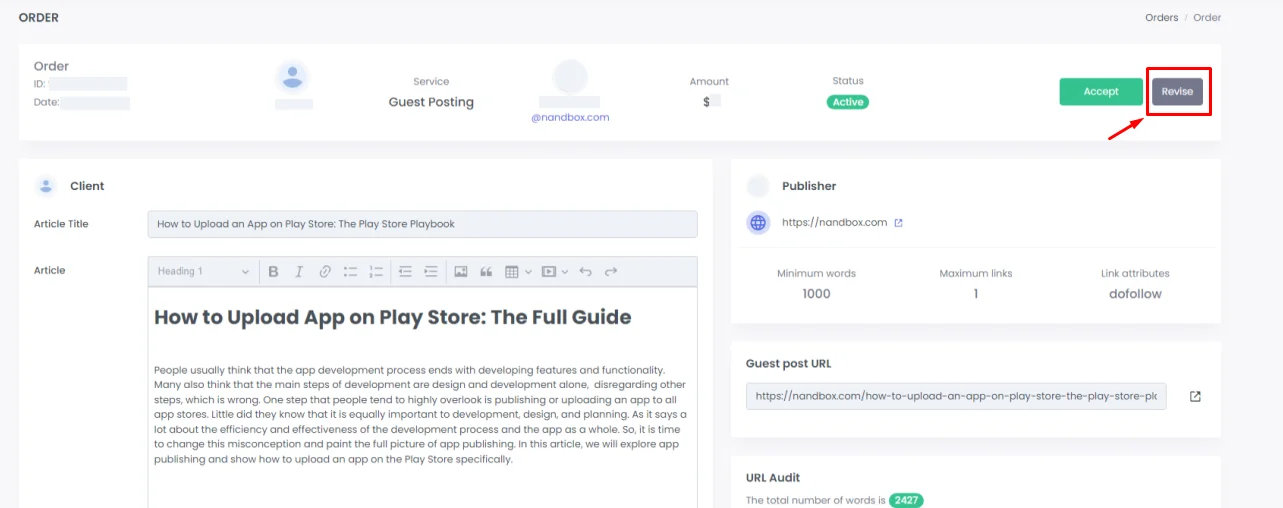
- If the order doesn’t meet the buyer’s requirements, a ‘Revise’ button will be shown. The buyer will then click it and a chat will be shown so he can contact the publisher regarding the order. When the button is clicked, the order will turn back to you to revise, edit, and resubmit.
7.) You will have 2 options regarding the second point:
- You can cancel the order; at this point, click ‘Cancel’ for losing interest as the order didn’t fulfill you, and the status becomes ‘Order Cancelled’, and the money is returned back to the buyer.
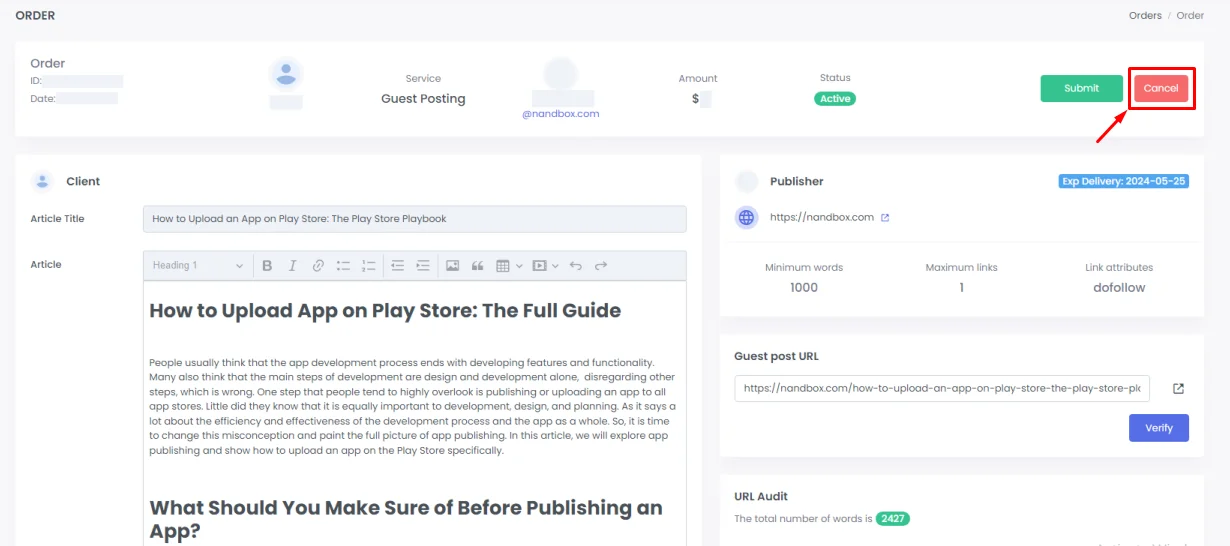
- If you accept the revision, the cycle will be started again (check guest post selected, update guest post URL, etc.), then submit it once again to return it to the buyer. When the buyer is satisfied with the order, the status of the order will be ‘Order Completed’ and the money will be transferred to your wallet.
[/vc_column_text][/vc_column][/vc_row]